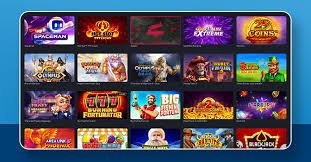
Anytime, anywhere — enjoy slots, Live Casino, and thousands of games on the Naga9 app. Light, fast, and secure.
The Naga9 app runs on any Android 6.0 or higher smartphone. Even if it's not on the Google Play Store, you can download the APK directly.
Get the Android APKIPhone and iPad users can add Naga9 to their home screen via Safari — it works just like a native app.
Add to iOS
In Bangladesh, most people access the internet through their mobile phones. That's why the Naga9 team has prioritized the mobile app from day one. The hassles of logging in through a browser every time, accumulated cache, and slow loading speeds — none of that exists in the app. Install it once and you're just a tap away from the home screen, with your login saved and push notifications keeping you up to date on bonuses and offers.
At just 22 MB, the Naga9 app installs easily even on phones with limited storage. Despite its small size, performance doesn't take a hit — games load fast, live streaming runs smoothly, and payments go through in seconds.
Although Naga9's Android app isn't on the Google Play Store, it is completely safe. Downloading and installing the APK from the official website carries no risk. The app does not collect any third-party data and won't drain your phone's battery or mobile data.
Install the App in Just 4 Easy Steps
Download the Android APK from Naga9's official download page. The file will be saved to your phone's Downloads folder.
Go to Settings → Security → Install Unknown Apps and grant permission to your browser or File Manager. You only need to do this once.
Tap the Naga9.apk file in your Downloads folder. The installation wizard will launch — tap the Install button to proceed.
Once installation is complete, the Naga9 icon will appear on your home screen. Tap it to open the app, log in, and start playing.
Easily add it to your home screen as a PWA from Safari
Visit naga9.wine on the Safari browser on your iPhone or iPad. Safari is required — Chrome or Firefox will not work.
Tap the share icon at the bottom of the screen (the box with an upward arrow). A menu will slide up.
Select "Add to Home Screen" from the menu. You'll see the Naga9 name appear — tap the Add button.
The Naga9 icon will now appear on your home screen. Tap it to open in full-screen app mode — just like a native app.
More Than Just a Download — a Complete Gaming Experience
The app caches data locally, so it doesn't need to reload every time. Games open in an average of 0.5 seconds.
Get notified directly on your phone about new bonuses, daily cashback, and special offers.
You can log in to the Naga9 app using fingerprint or face unlock, so you never have to type your password each time.
Enable Dark Mode for night-time or low-light play. It's easier on your eyes and saves battery life.
Even on a weak network, the Naga9 app adapts on its own — reducing stream quality to keep the game running.
The entire Naga9 app interface is available in Bangla. Menus, bonuses, game info — everything is in a language you're familiar with.
Naga9 App Requirements
The moment you open the Naga9 app after downloading, it feels like a premium app — yet it's surprisingly compact. The home screen features popular games, the latest bonus offers, and quick deposit shortcuts. Even first-time users find it easy to navigate.
Slot game animations run perfectly smooth — even on older mid-range phones. Live Casino dealer streams use slightly more data, but there's no buffering. When paying with Mobile Banking, you can enter your number directly in the app without being redirected to a separate page.
One thing many users praise is the Naga9 app's notification system. Instead of spamming you with unnecessary alerts, it only sends relevant updates — like when your daily bonus is ready, a withdrawal has been processed, or a special event has started. This measured approach keeps users informed without being intrusive.
Overall, the Naga9 mobile app is a great fit for Bangladesh. A small file size, low data usage, a Bengali interface, Mobile Banking-Nagad-Rocket payment support, and Bengali customer service — having all of this in one place is genuinely convenient. If you're still using the browser, give the app a try and you'll notice the difference right away.

User Ratings & Test Results
Download the Naga9 app and get a 100% bonus on your first deposit. Play anytime, anywhere.
Join for Free